YouTuber and Content Creator Tax in the UK
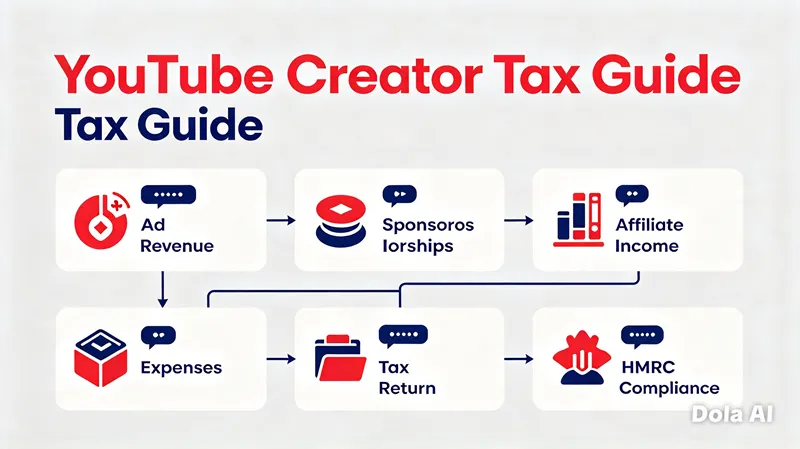
Creators often earn from several places at once: ad revenue, brand deals, affiliate commission, merchandise, memberships and free products. HMRC’s guidance on online platforms names making videos, producing podcasts and social media influencing as examples of creating online content, and says income includes gifts and services you receive for promoting products. This guide explains what counts as taxable income, how the £1,000 trading allowance works, which expenses creators can claim, how overseas platform payments are treated, a worked example, and when to register for Self Assessment.
💰 How much should you set aside?
Work out how much of your creator income to keep back for tax.
Try the Tax Set-Aside Calculator →What counts as creator income
Creator income is any money, gift or service you receive from your content activity. That includes advertising revenue from a platform, sponsored posts and brand partnerships, affiliate commissions, paid subscriptions and memberships, tips and donations that are linked to your content, merchandise sales and fees for appearances. GOV.UK states that income from creating online content includes gifts and services you receive from promoting products online. If you receive a gift or service instead of money, you use the value of what it would have cost if you had to pay for it.
HMRC gives an example of a creator who reviews beauty products, earns advertising income on their videos and also receives gifts from the companies reviewed: they may need to tell HMRC about that income. The key point is that it does not matter whether the money arrives through a UK bank account, an overseas platform or a payment app. It is still income for tax purposes.
You add all your trading income together, for example video income, product sales and any freelance services, before comparing it with the trading allowance.
The £1,000 trading allowance for creators
If your total gross trading income from all sources is £1,000 or less in the tax year, you generally do not have to tell HMRC, subject to a few exceptions. If it is over £1,000, you must tell HMRC and register for Self Assessment by 5 October after the end of the tax year. Your income is counted before any costs are deducted.
Once income passes £1,000, you can either deduct the £1,000 allowance or claim your actual allowable expenses, but not both. For a part-time creator with minimal costs the allowance can be a good option; for a full-time creator with equipment, software and travel, expenses usually give the lower taxable profit. It is also worth knowing that the allowance cannot be used if the income comes from your own company, a partnership, or your employer.
If your creator income is paid to a limited company you own, the allowance rules differ and the company is taxed separately; see sole trader vs limited company for when it makes sense.
Worked example: a part-time YouTuber
Jordan works full time on £30,000 and runs a gaming channel. In 2026/27, Jordan’s channel earns the following. This is an illustration only.
| Item | Amount |
|---|---|
| Platform ad revenue | £7,400 |
| Sponsorship payments | £3,000 |
| Free products received for review (market value) | £600 |
| Gross income | £11,000 |
| Software and music licences | -£780 |
| Microphone and lighting (small equipment) | -£480 |
| Share of broadband and phone | -£180 |
| Profit using actual expenses | £9,560 |
| Income Tax at 20% on £9,560 | £1,912 |
| Class 4 NI (profits under £12,570) | £0 |
Total expenses of £1,440 are above £1,000, so claiming them gives a lower profit than using the allowance (£11,000 - £1,000 = £10,000). Jordan also needs to set money aside: roughly one-fifth of profit. If your profit is above the 40% threshold the rate rises, and Class 4 NI applies above £12,570. The PAYE side hustle tax calculator and tax set-aside calculator model this with your own figures.
Expenses creators can usually claim
You can deduct costs that are incurred wholly and exclusively for the business. For creators this commonly includes cameras, microphones, lighting and editing equipment, software subscriptions and music or stock licences, props and costumes used for content, studio or co-working rent, a fair share of broadband and mobile costs, travel to shoots and events, agent and management fees, accountancy fees and costs of promoting the channel. Items used partly for private purposes can be claimed in proportion.
Larger equipment is normally treated as a capital item, for which capital allowances are available. Many smaller creators can deduct the cost in the year it is bought. Keep receipts and a short note of the business purpose. Our allowable expenses checklist and can I claim this expense guide help you decide.
Overseas platforms and foreign tax
Many platforms pay creators from outside the UK, and some deduct foreign tax before paying you. The UK rules treat it as your income either way. GOV.UK says the platform report shows what you earned in the calendar year, less any fees, commission or taxes deducted, and that you will need to consider the types of taxes the platform has deducted to see whether you can offset them against tax due. That is a point to raise with an accountant if a large amount of foreign tax has been withheld.
Platform reports run on the calendar year, but your tax return runs from 6 April to 5 April, so you will need to re-work the figures. Digital platform operators in the UK may report your details and income to HMRC by 31 January after the calendar year, and you should receive a copy. Reports do not mean tax is due, but they do mean HMRC has the data, so it pays to report accurately. See our guides on nudge letters and compliance checks.
If your turnover is high, remember VAT: you must register if your taxable turnover over the last 12 months goes over £90,000. See do I need to register for VAT.
Registering and filing
Register for Self Assessment by 5 October following the end of the tax year in which your gross income went over £1,000. File your return and pay the tax by 31 January. Large bills can also create payments on account, which are advance payments towards next year; use the payments on account calculator to see how they work. Missing deadlines brings penalties, shown in our missed deadline guide.
Frequently Asked Questions
Do I pay tax on YouTube income in the UK?
Are free products and gifts taxable?
Can I use the £1,000 trading allowance as a creator?
Do I pay tax on income from overseas platforms?
What equipment can I claim?
When do I need to charge VAT?
Disclaimer: This guide is general information for UK taxpayers, based on GOV.UK guidance checked on 15 November 2026. It is not personal tax advice and every case is different. Figures in worked examples are illustrations only. If a letter or deadline affects you, check the position on GOV.UK or speak to a qualified accountant or tax adviser.
Sources & Methodology
- GOV.UK: Check if you need to tell HMRC about your income from online platforms
- GOV.UK: Selling goods or services on a digital platform
- GOV.UK: Tax-free allowances on property and trading income
- GOV.UK: Register for VAT
- GOV.UK: Expenses if you are self-employed
Last reviewed 15 November 2026 against the GOV.UK pages above. Rates and thresholds are for the 2026/27 tax year unless stated.